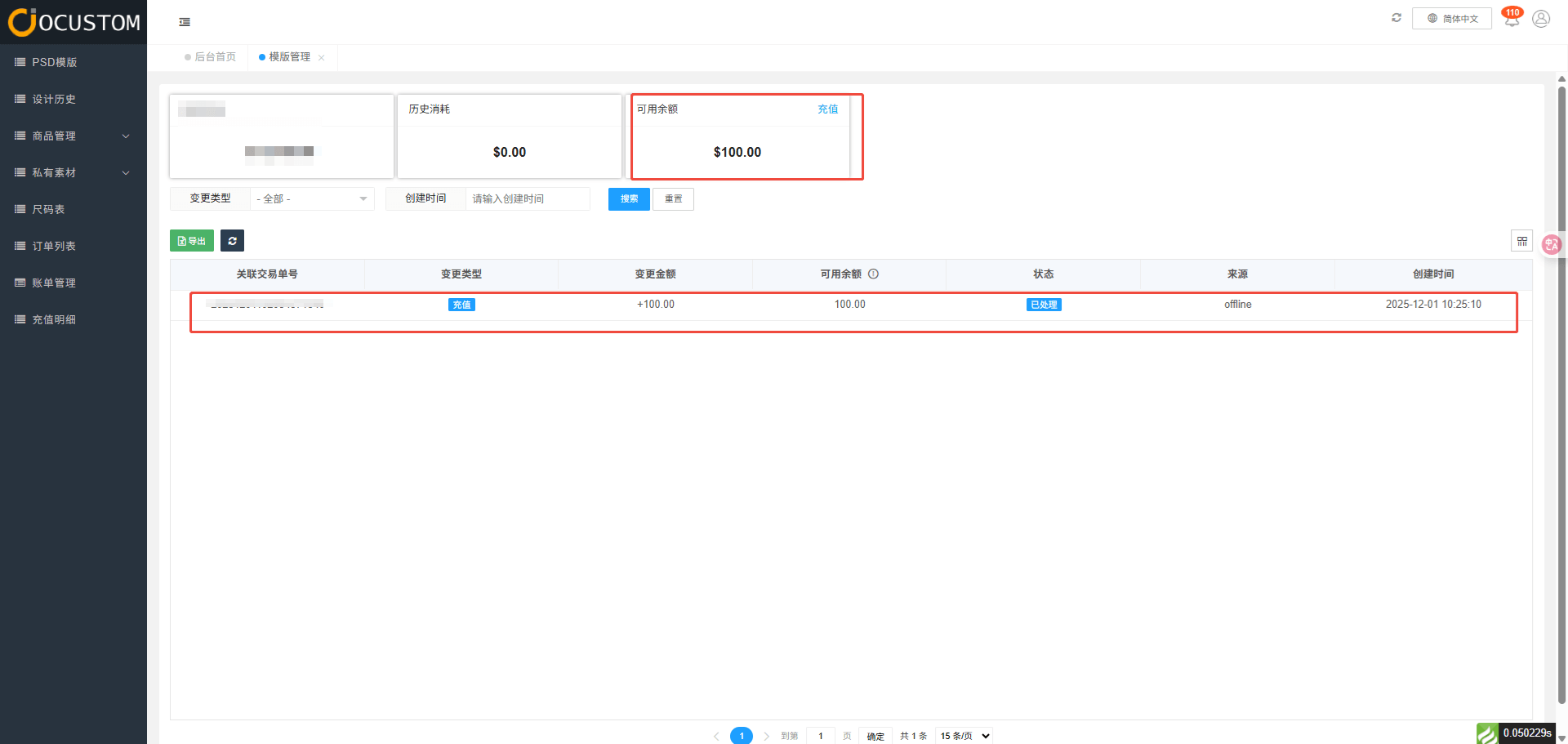
Wallet Recharge
This section primarily explains how to top up your account and view your top-up details.
Recharge
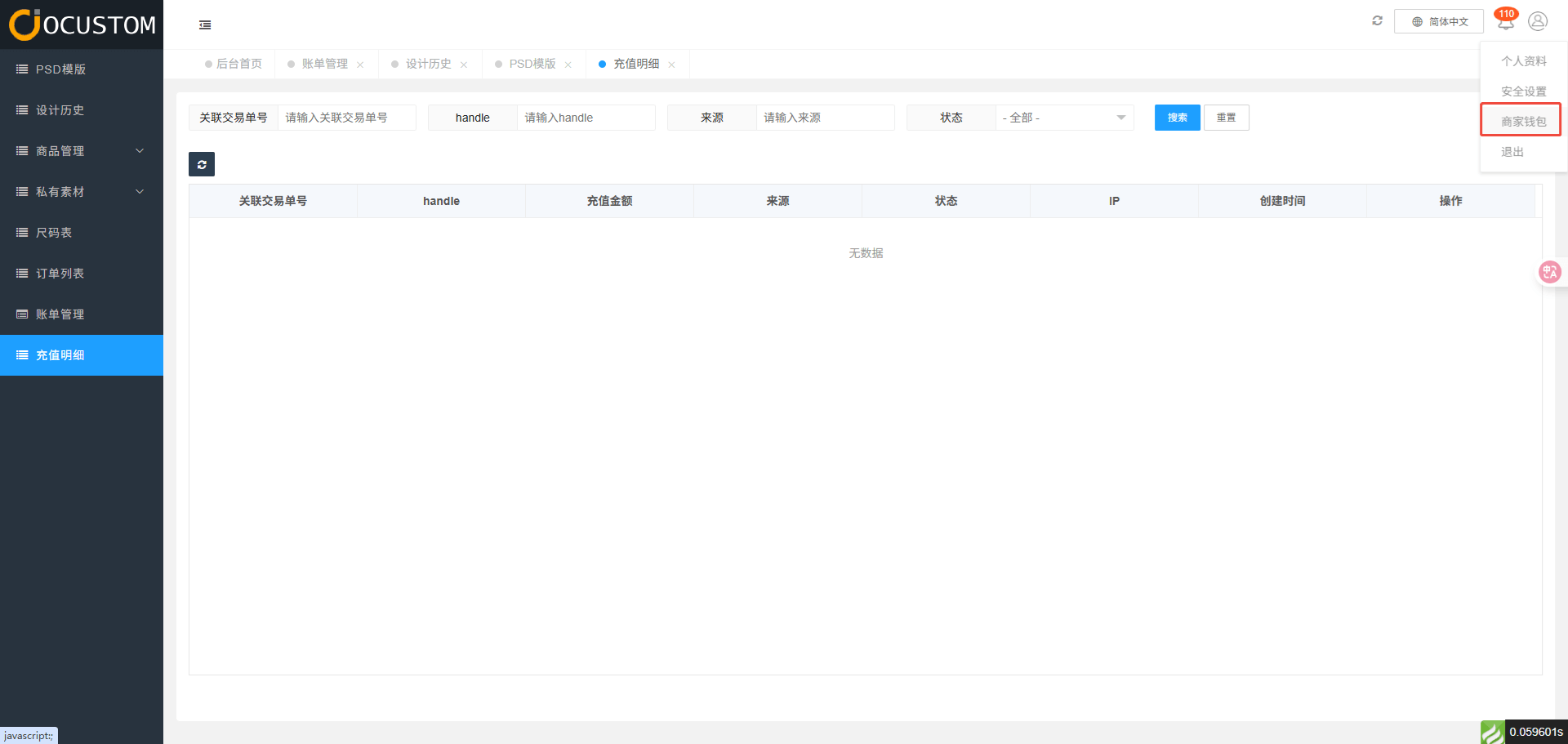
Tap the user menu in the top-right corner, then select Merchant Wallet.
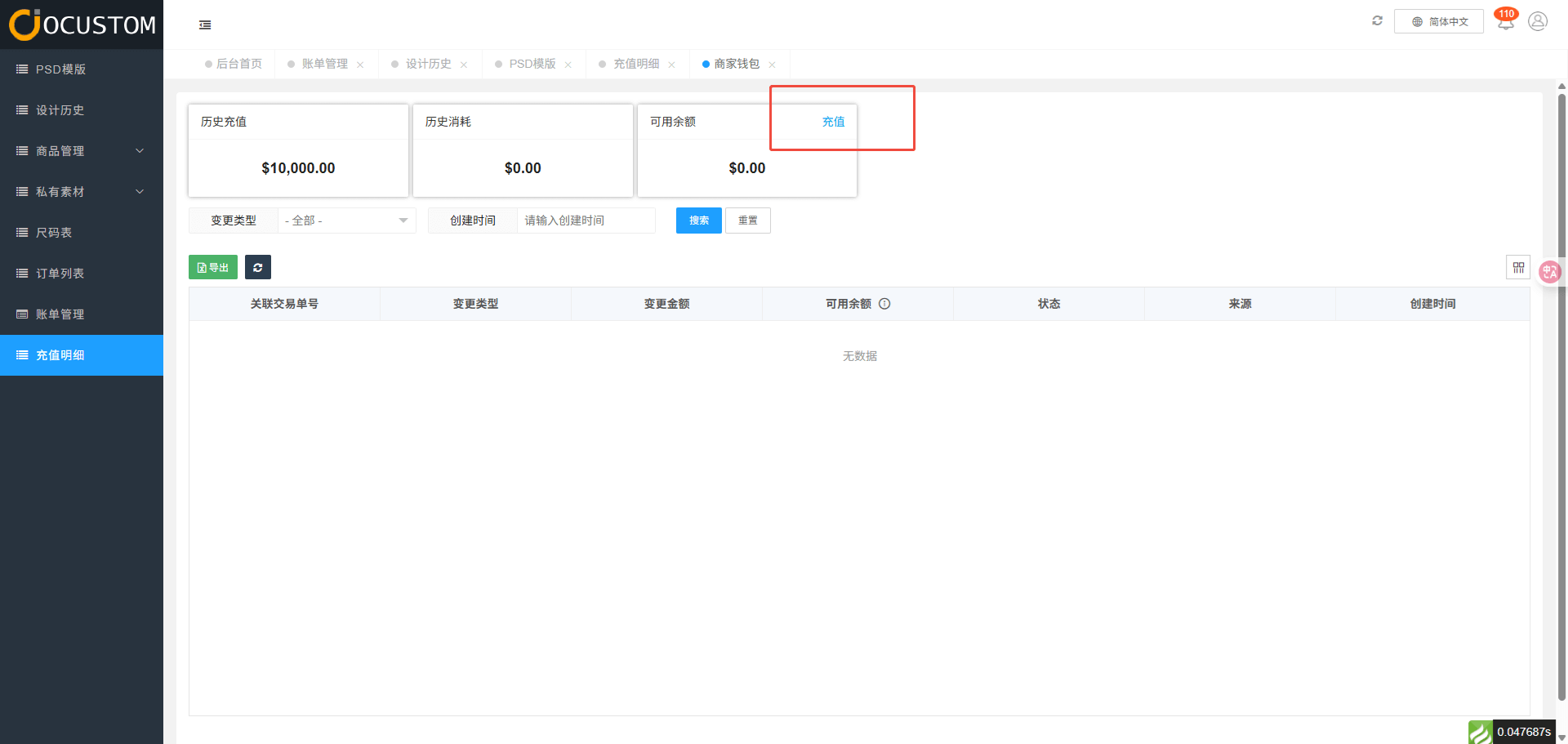
Click the Recharge button
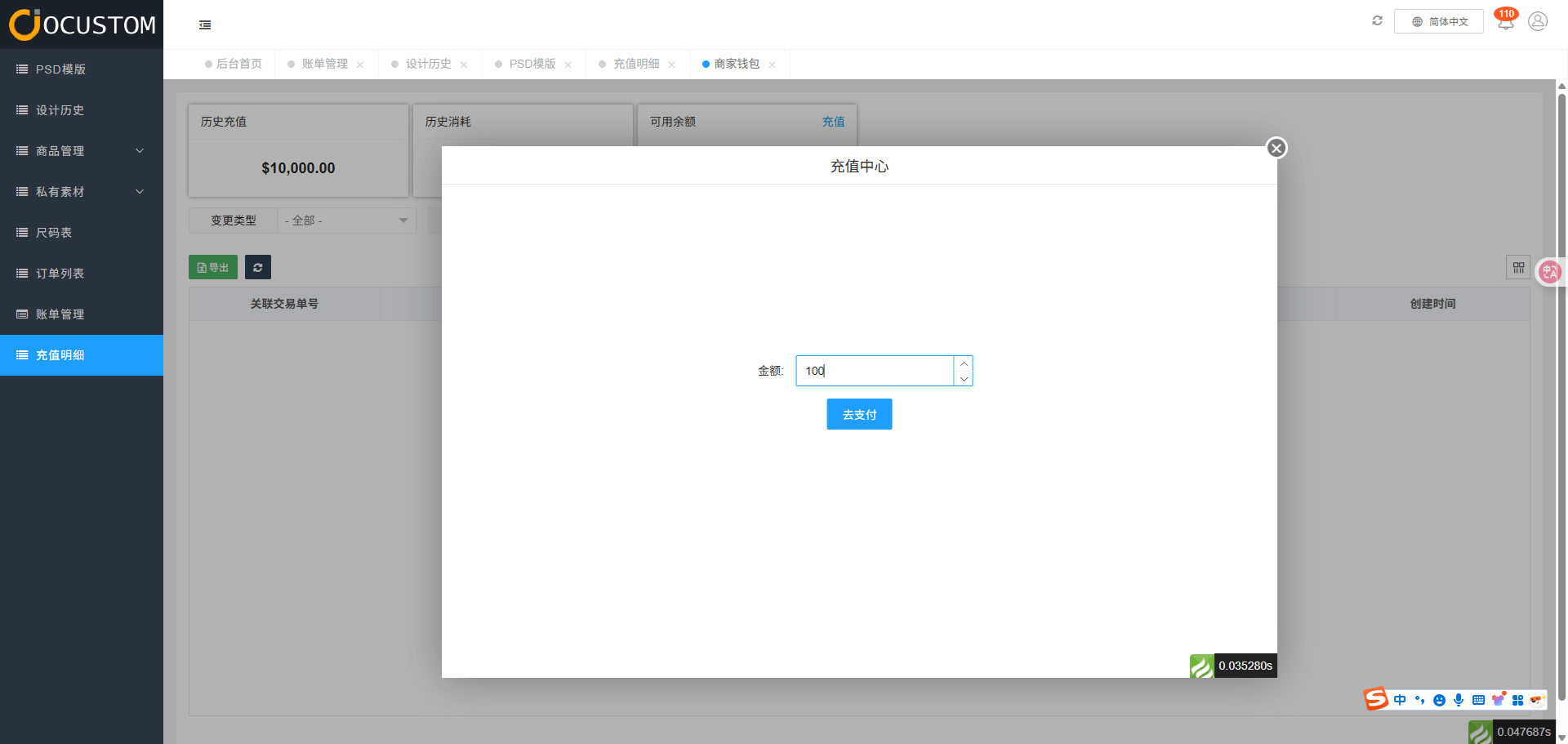
Enter the recharge amount
Select a recharge method
Includes two recharge methods:
- Paypal
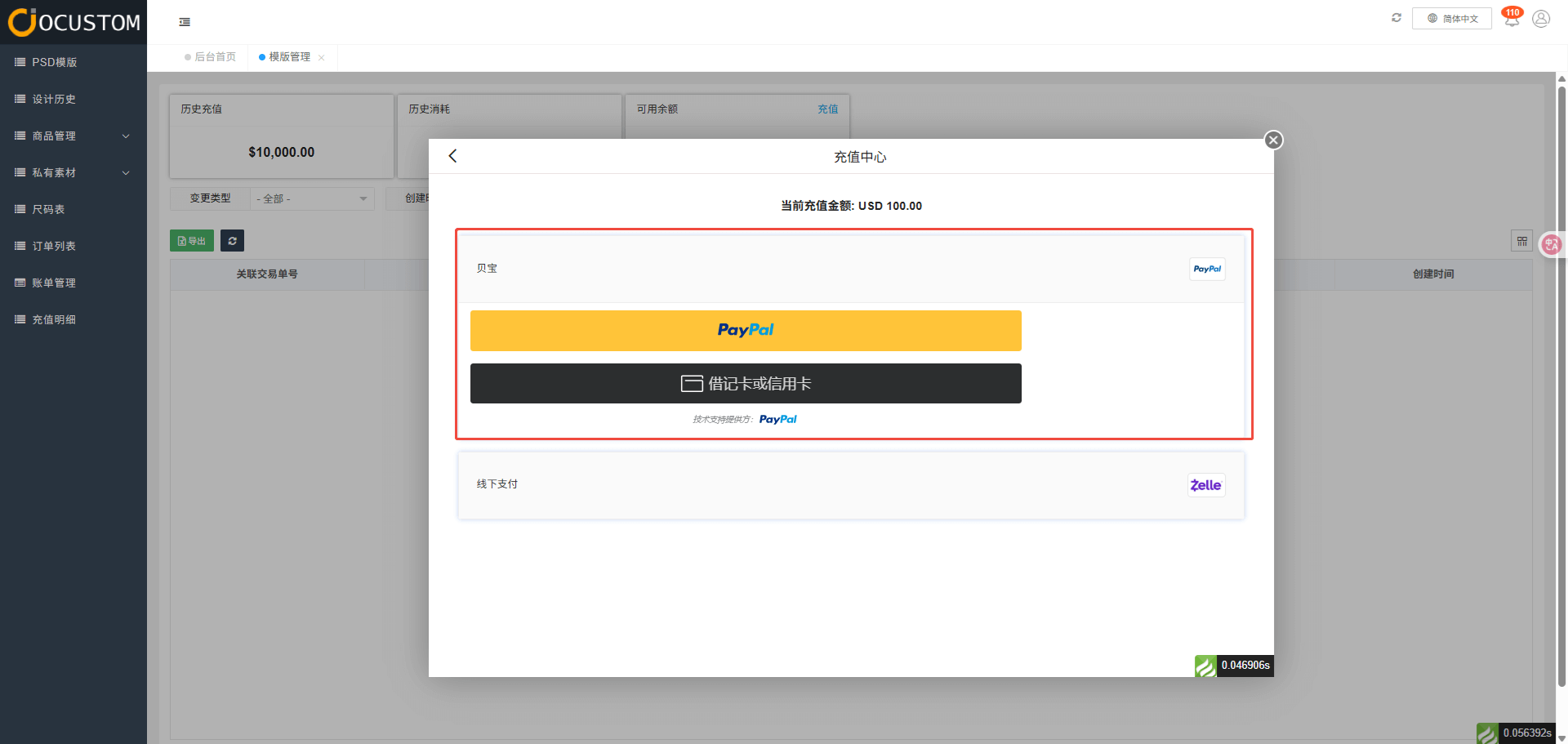
- Offline
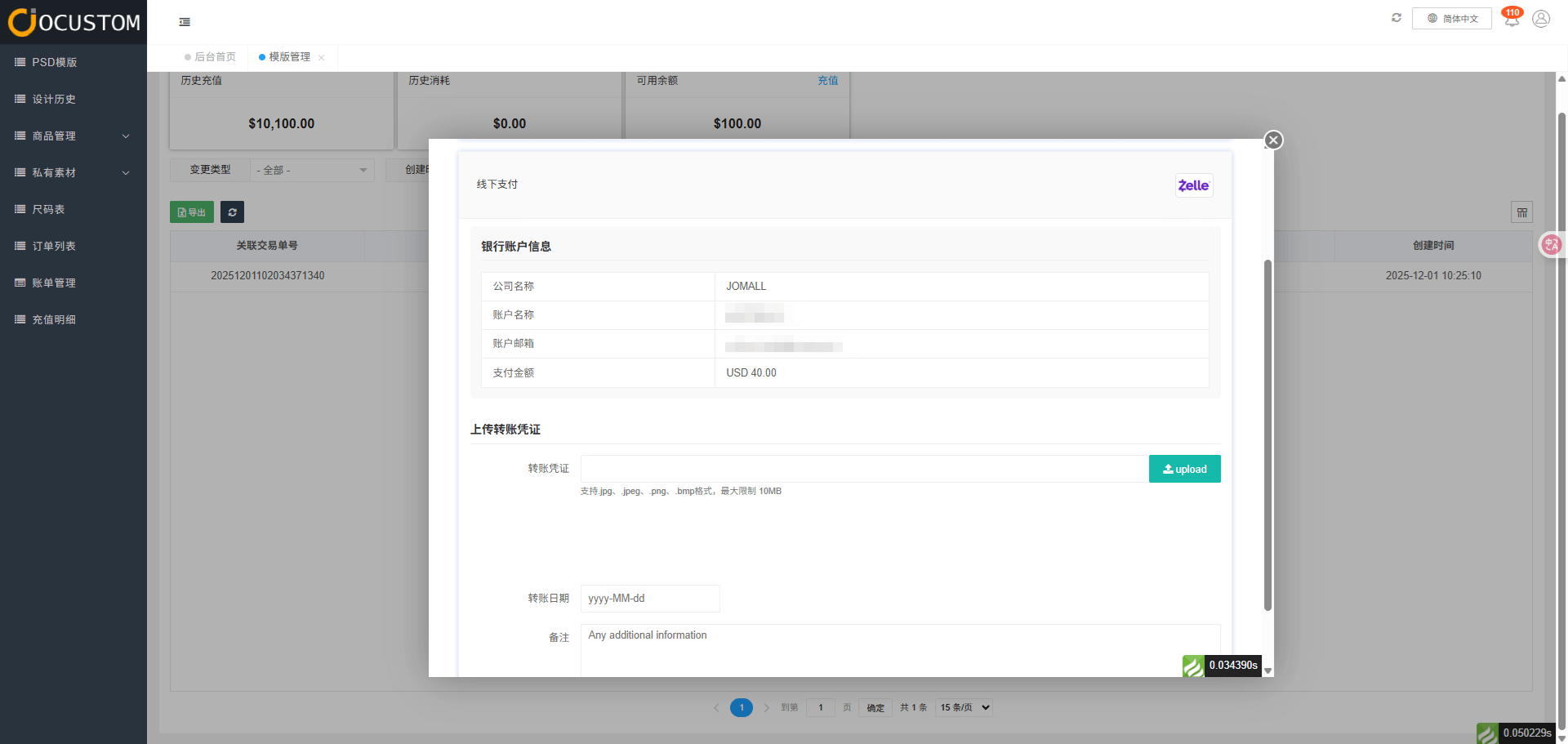
TIP
Offline recharges require uploading transfer receipts. After clicking “Submit,” administrators will review your request. Upon successful verification, the amount will be automatically credited to your current system wallet.
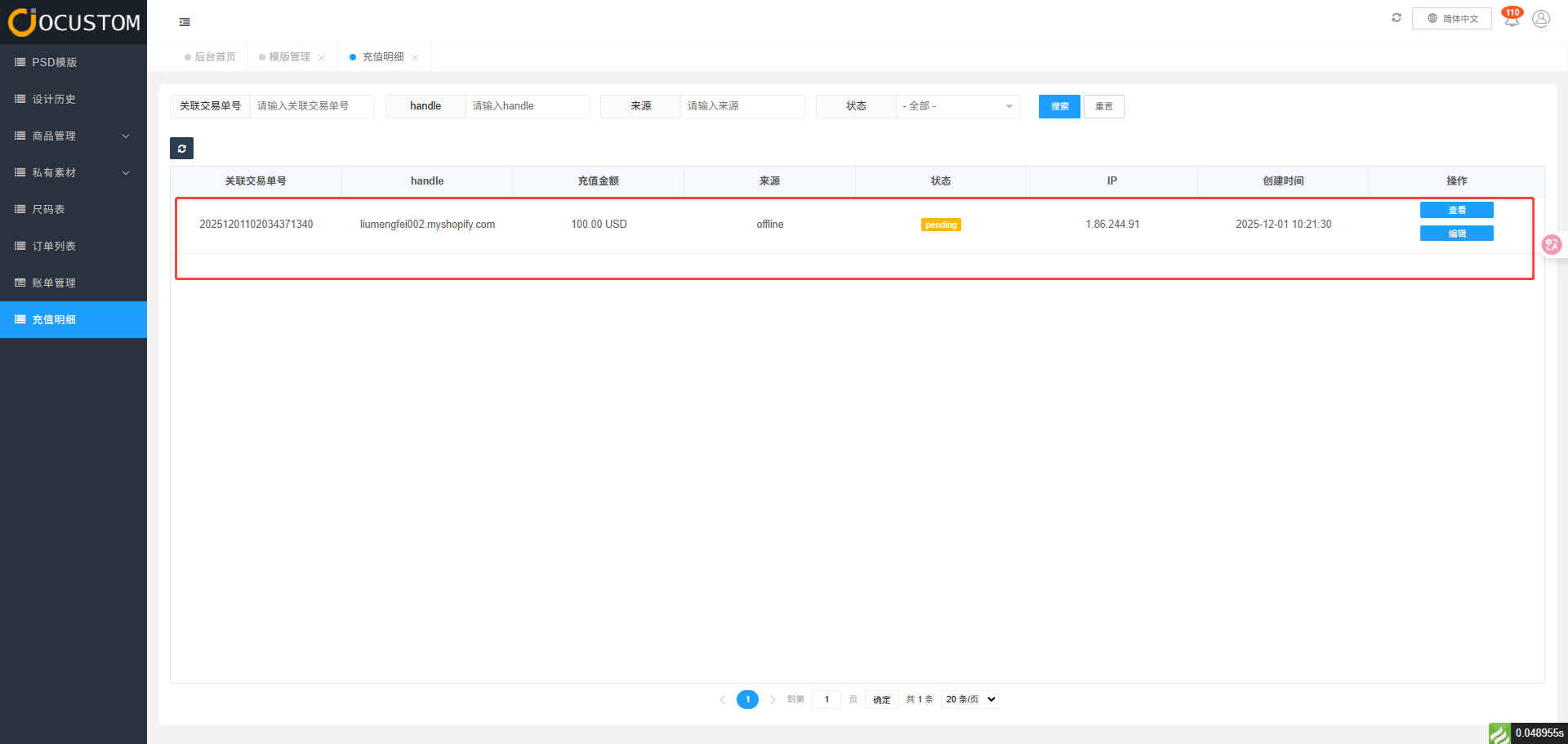
View Recharge Details
When the administrator fails to approve the transaction, the recharge record status will be marked as Pending.
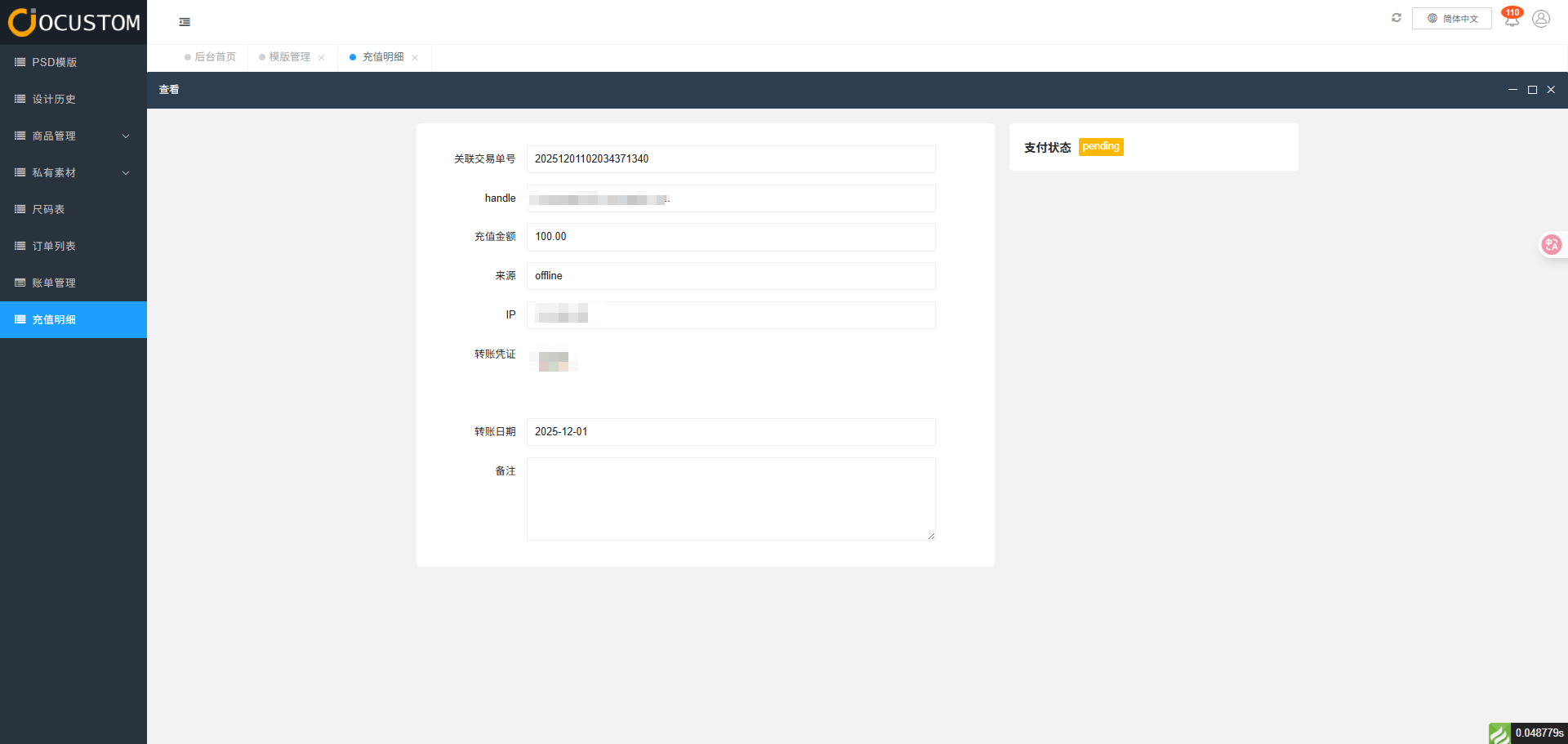
Once the administrator approves the transaction, the recharge record status will be updated to “Successful.”
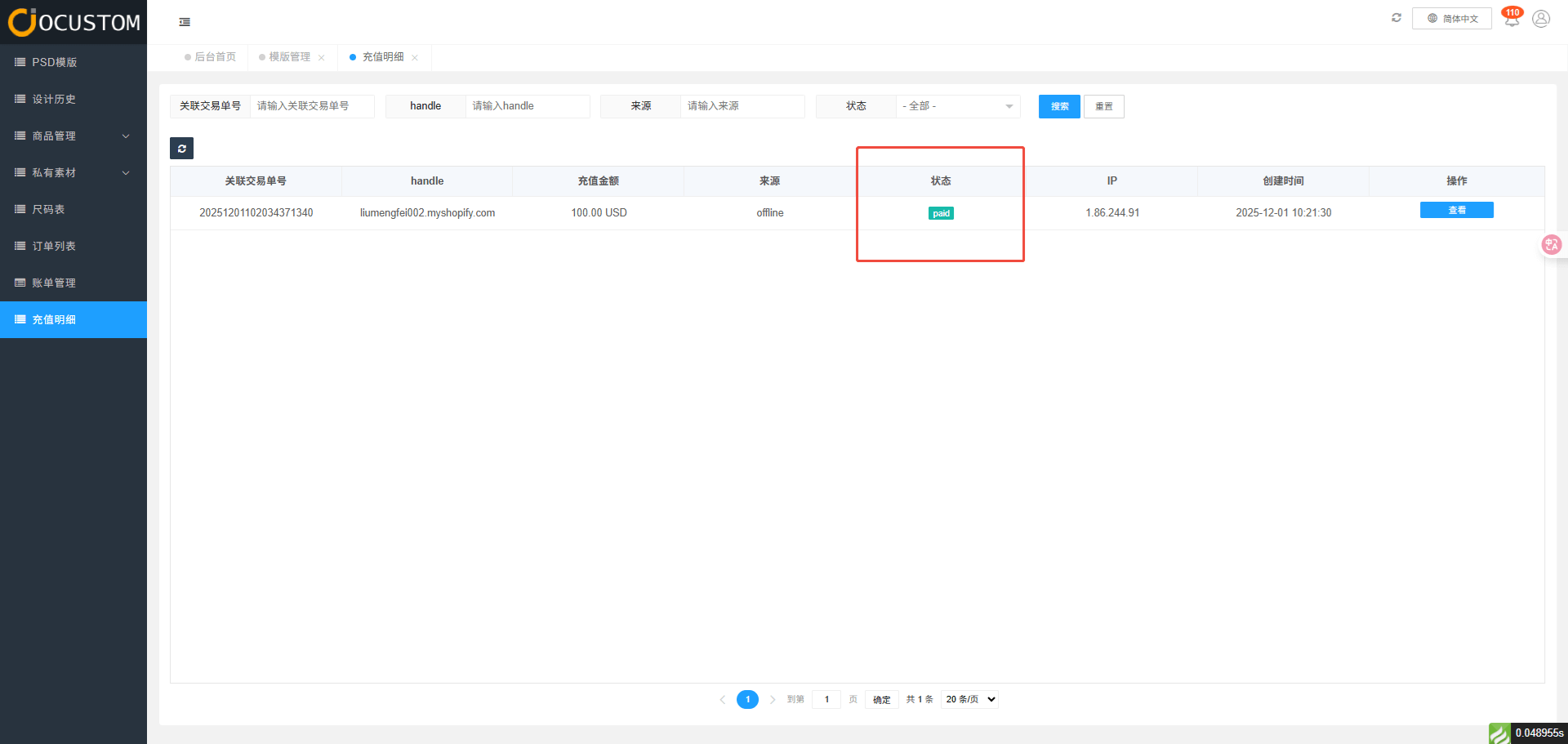
You can go to your wallet page to view the amount.